กำลังโหลด...
📖 Getting Started with See-KidLearn
Simple step-by-step guide with screenshots for parents who want to set up an account, create a child profile, and start playing activities
1
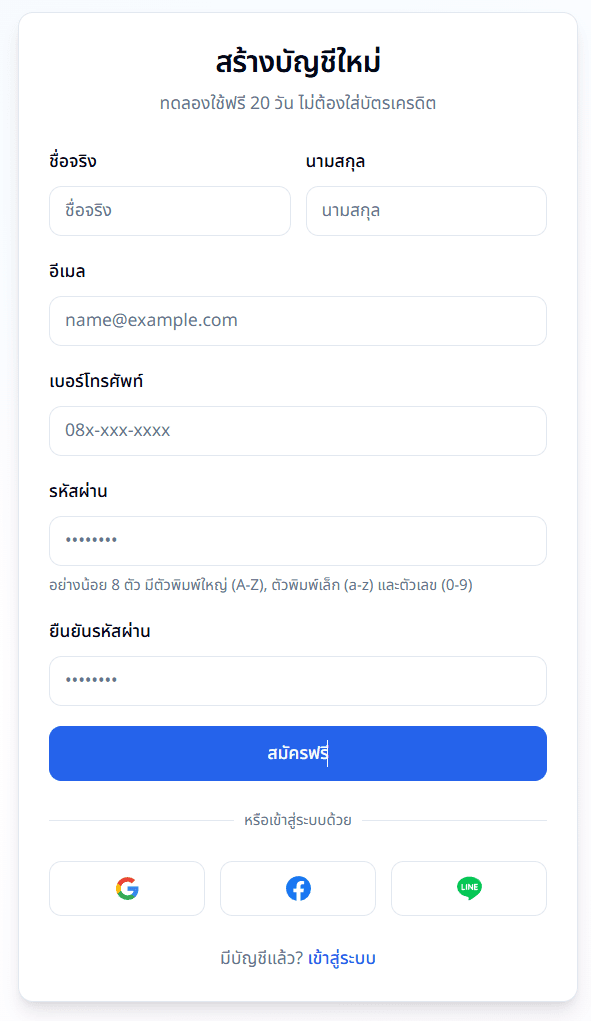
Register an Account
Go to the registration page, fill in your name, email, and password. Then verify your email via the link we send you. That's it — you're ready! Free trial for 20 days, no credit card required.
2
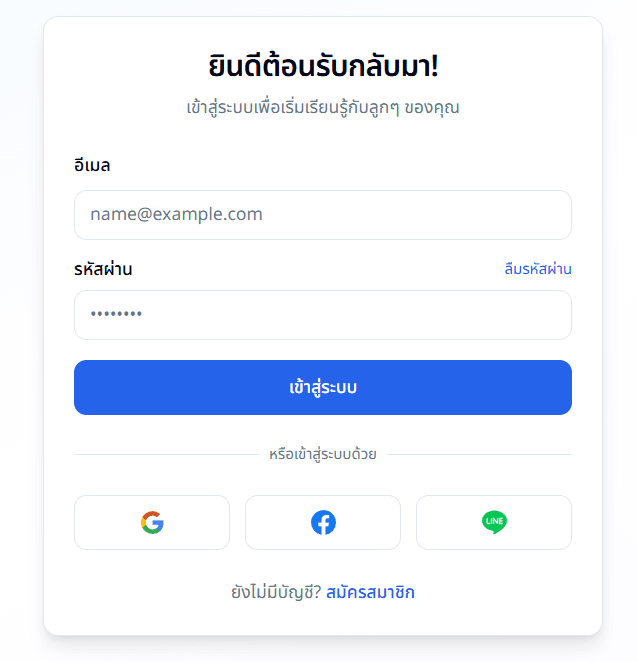
Log In
Use the email and password you registered to log in. Once logged in, you'll see the Dashboard where you can manage everything.
3
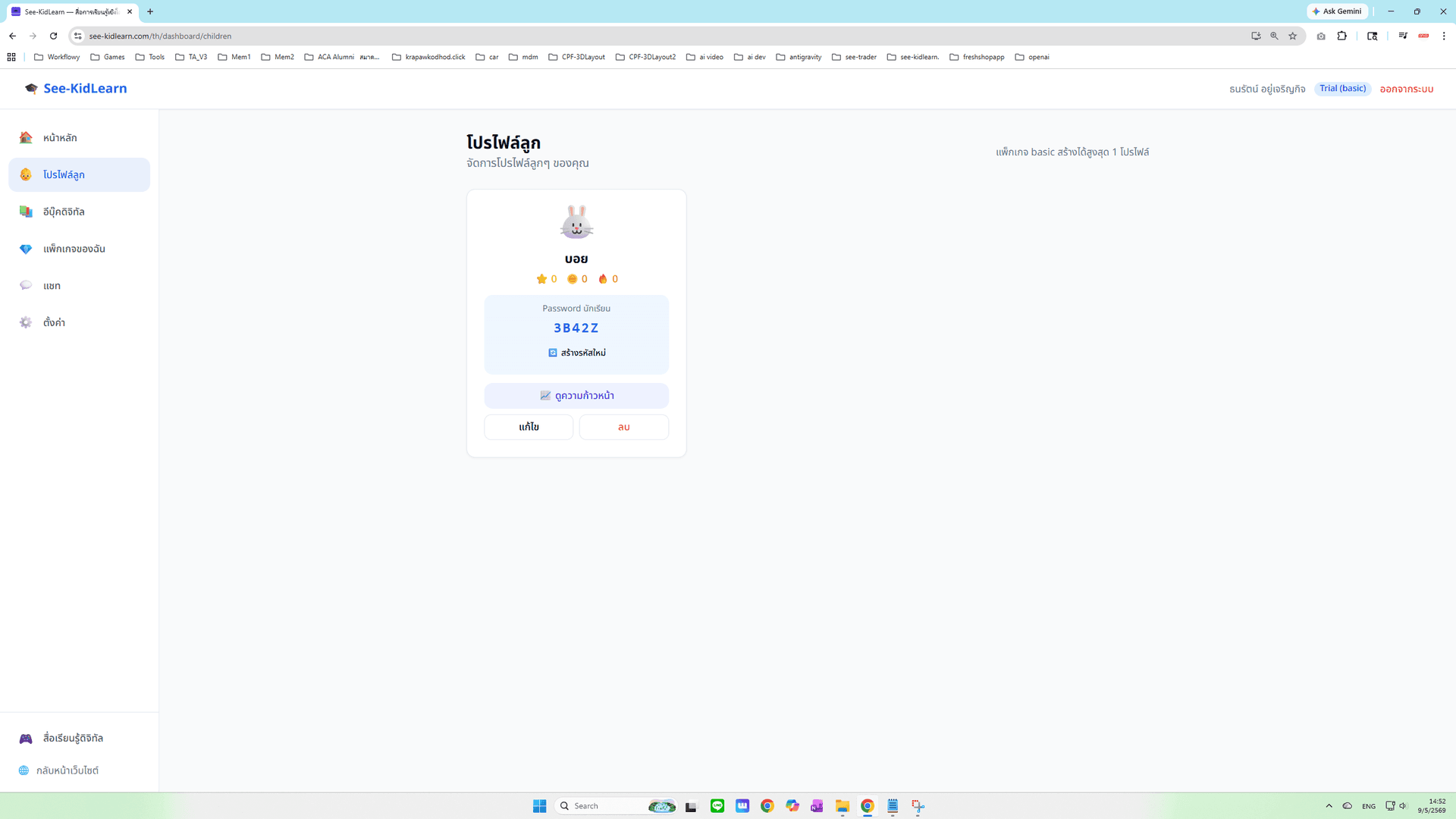
Create a Child Profile
Go to "Child Profiles" menu, tap Add Child, enter a nickname, and pick an avatar. The system will automatically generate a 4-character Student Password for your child to use.
4
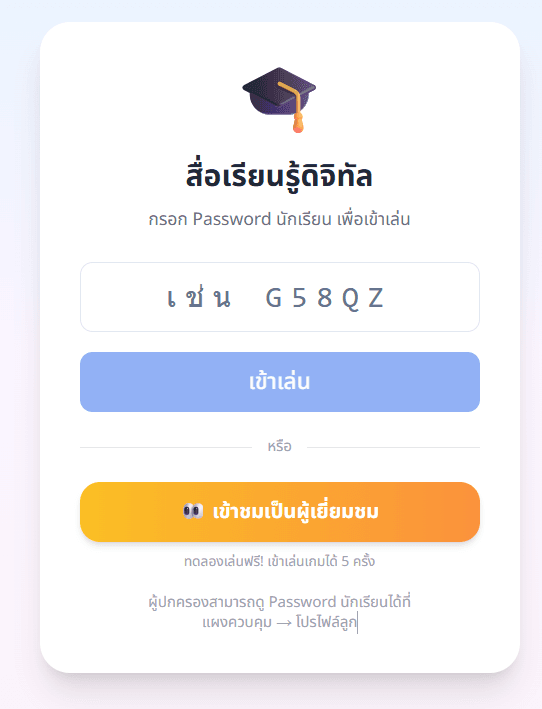
Let Your Child Play
Go to "Digital Learning" page, enter the Student Password, then choose any activity. Your child will learn through games, exercises, and many fun activities.